- Last updated:August 10, 2026
For citizens, employers, and organisations who want to verify details about visas, the key lies in Visa Entitlement Verification Online, or VEVO, in Australia. A visa holder in states like NSW, Queensland, or Victoria will know the importance of how to conduct a VEVO check online because this will help him save precious time and maintain immigration compliance; see our guide to right to work eligibility in Australia for the full picture of what employers need to check.
This guide covers all you want to know about the VEVO system, including how to check VEVO details online, why it is essential, and how to use this free and reliable service step by step.
If you’d rather not run the check yourself, Rapid Screening also offers Right to Work and VEVO Checks as part of our pre-employment screening services, useful if you’re checking multiple employees at once.
What Is VEVO:
VEVO stands for Visa Entitlement Verification Online. It is an online service offered by the Australian Department of Home Affairs. Utilising the service, organisations can prove whether a non-citizen in Australia has the status to have a visa or not. This service can be useful to employers to ensure that their employees are legally eligible to work in Australia and for any individual who wants to confirm the conditions regarding his visa.
VEVO Check vs. Right to Work Check: What’s the Difference?
It’s easy to use these terms interchangeably, but they’re not quite the same thing. VEVO is the specific government system; it’s how you look up a visa’s status, conditions, and expiry directly from the Department of Home Affairs. A right to work check is the broader employer process of confirming someone is legally allowed to work in Australia, which typically uses VEVO as one step but can also include reviewing citizenship or permanent residency documents, checking visa conditions against the specific role, and keeping records to meet compliance obligations.
| Criteria | VEVO Check | Right to Work Check |
|---|---|---|
| What it is | A free government lookup of a visa’s status and conditions | The full employer process of confirming legal eligibility to work |
| Who runs it | Department of Home Affairs (self-service or via employer) | Employer, often supported by a screening provider |
| What it covers | Visa type, expiry date, and work condition details | VEVO results, plus citizenship/PR document checks and role-specific conditions |
| Cost | Free | Free to pay, depending on whether it’s self-managed or outsourced |
Why Is a VEVO Check Important?
An online check at VEVO is significant because of the following:
Compliance: Employers in Australia are legally required to confirm their employees’ right to work before hiring. Failing to check visa status properly can attract huge fines.
Status Verification Assurance: Visa holders can confirm their own status at any time, giving peace of mind that their visa details are accurate and up to date.
Fraud Prevention: The VEVO system prevents visa fraud because it provides the employer and individual with a check on whether a visa is original or not.
Easy Process: The online check of VEVO makes the whole process of checking visa information quite simple and easy to access anytime.
Type of Visa:
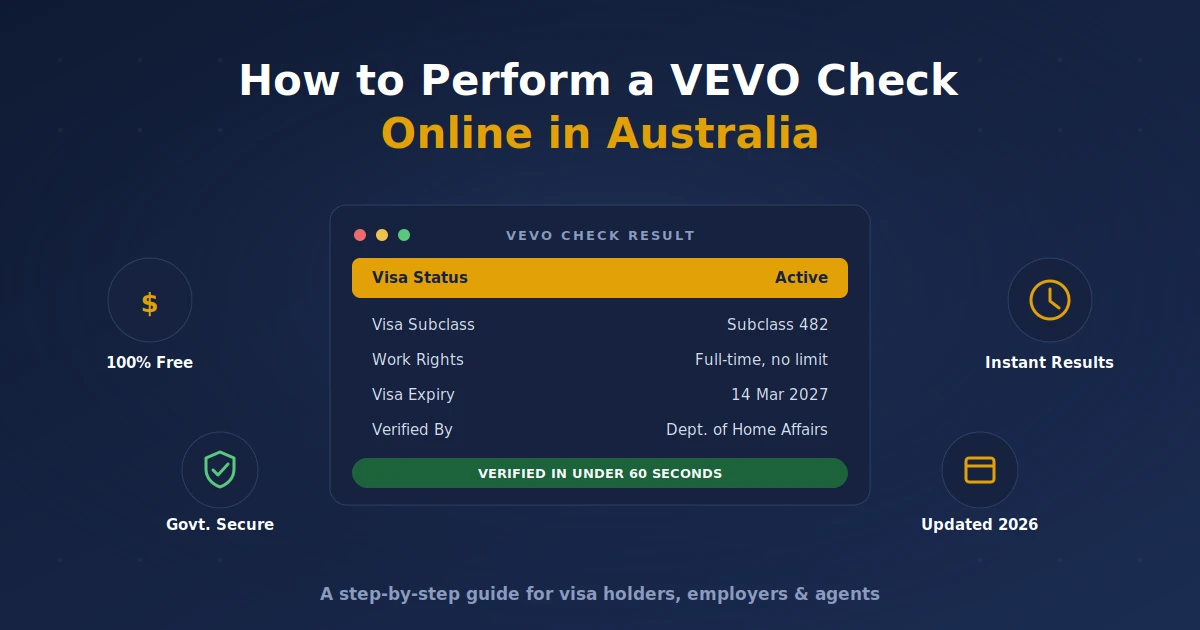
A VEVO check returns several key pieces of information about a visa holder’s status:
Conditions on the Visa: All kinds of restrictions or conditions related to your visa.
Expiry Date of Visa: The date your visa will expire.
Work Rights: Whether you are allowed to work in Australia and any conditions on your work rights.
How To Do A VEVO Check Online:
Doing a VEVO check online is pretty simple. Below is a step-by-step guide on how to do this.
Step 1: Access The VEVO Online Platform
Go to the Australian Department of Home Affairs website and locate the VEVO (Visa Entitlement Verification Online) section, usually found under their visa services.
Download the Free VEVO Check Checklist
Step 2: Information Gathering
You will require the following for a successful online VEVO check:
- Visa Grant Number: You should receive this number on the letter issued to you by the Australian Department of Home Affairs.
- Transaction Reference Number (TRN): You get this once you have lodged your visa application.
- Passport number and country of issue. If you do not have a Visa Grant Number, use this.
Step 3: Fill In Your Online VEVO Check Form
Enter your visa grant number (or passport details), along with your date of birth and any other requested identifying information. Double-check every field before submitting, since incorrect details are the most common reason a VEVO check fails.
Step 4: Submit and View Results
Submit and View Results: Once submitted, your results will display the visa type, status, conditions, expiry date, and work rights associated with the visa.
Scenarios in Checking Online VEVO for Visa Holders:
Non-residents of NSW, Queensland, or Victoria who come from abroad will normally check their VEVO status online to confirm whether they qualify for the visa. This is particularly important so that they are legally qualified while working or studying.
For Companies:
Australian companies use the online visa check on VEVO to confirm the eligibility of new employees, often as part of a broader right to work and VEVO check process; this prevents hiring people who may not have the right to work.
For Institutions of Learning:
Schools and colleges also use the VEVO checks for confirming the status of the visa on immigration from the foreign students.
Advantages Of The Online VEVO Check:
- Available online 24/7, at any time of the day, through VEVO.
- It provides real-time, accurate visa information directly from the Department of Home Affairs.
- It saves time; one requires no physical document for the verification of an online check.
How to Check a VEVO Visa Using a Mobile Phone:
Step 1: Launch Your Browser or Get the VEVO App
Accessing the application through the use of the VEVO app will be easier; it is offered on Android and iOS. Using a browser would also work if you have no access to a smartphone.
Step 2: Log in using your details.
You will enter your visa grant number or even your passport.
Step 3: View and Print Results
Once submitted, you are able to print or even screenshot the results for later use.
Troubleshooting Common Problems With VEVO Checks:
| Problem | Solution |
|---|---|
| Forgot Visa Grant Number | Use your passport number and date of birth instead. |
| Technical errors/page won’t load | Clear your browser cache, or try a different browser. |
| Wrong details showing | Double-check what you entered; if still wrong, contact the Department of Home Affairs directly. |
VEVO Check Online In Other Australian States:
The VEVO check process is identical across every Australian state and territory, NSW, Queensland, Victoria, and beyond, so every employer and visa holder has the same access to accurate visa information, regardless of location.
Who Can Conduct a VEVO Check Online:
| Who | Why They Use VEVO |
|---|---|
| Visa holders | To confirm their own status and avoid overstaying |
| Employers | To verify a candidate’s right to work |
| Education institutions | To check international students’ visa conditions |
| Agents and representatives (incl. recruitment/HR agencies) | To manage visa checks on behalf of multiple employers |
How Safe Is the VEVO System?
The VEVO system is very safe, as it uses secure connections to keep personal and visa information encrypted. Users are always advised to ensure that their login details are confidential to ensure safety.
When Do You Use The VEVO Check Online Service?
| Scenario | Why It Matters |
|---|---|
| Job application | Confirms the candidate is allowed to work under their visa conditions |
| Before travel | Confirms re-entry entitlements before leaving Australia |
| Applying for benefits or services | Proves visa eligibility to government or private providers |
| Compliance audits | Confirms ongoing visa compliance for employers and institutions |
How Is VEVO Different From A Visa Label:
Earlier, the visa was issued along with a label that was then pasted on the passport. Australia has shifted its system to be electronic and no longer uses paper labels. VEVO is the digital system that replaced physical visa labels, giving instant, verifiable access to visa status without any paperwork.
Benefits of VEVO in Comparison with the Visa Labels:
| Old Visa Label | VEVO | |
|---|---|---|
| Format | Physical label in passport | Digital, online |
| Updates | Fixed at issue | Real-time |
| Access | Only with physical passport | Anywhere, anytime |
Can An Employer Be Fined For Not Using VEVO:
Yes, as employers in Australia are under a legal obligation to check visa status for their employees. Failure to do an online VEVO check or employing someone who does not have the right to work would attract:
- Steep fines
- Legal action by the Department of Home Affairs against the company.
- Damaging the company’s reputation.
- To avoid such penalties, it is recommended that companies in NSW, Queensland, and Victoria conduct VEVO checks while recruiting employees.
For roles that specifically require Commonwealth clearance or an immigration-related criminal history check alongside VEVO, employers may also need an AFP Coordinated Criminal History Check.
Future Improvements Of The VEVO System:
The Australian government is upgrading the VEVO system day by day to make it more accessible. Some of the future improvements are:
Improved Mobile App Features: Improved functionality and user interface for mobile users.
Integration with Employer Platforms: The ability to integrate VEVO directly into HR systems to check visas efficiently.
AI-Powered Support: Virtual assistants to take users through the process of obtaining a VEVO check online.
Conclusion:
It is a simple yet important task for visa holders, employers, and institutions in Australia, including states like NSW, Queensland, and Victoria, to perform a VEVO check online. Through the VEVO platform, you can obtain accurate and up-to-date information about your visa, thus ensuring compliance with Australian immigration laws.
Whether you’re a visa holder managing your status or an employer verifying work rights, the VEVO system offers a secure and reliable solution. Stay informed, stay compliant, and make the most of this powerful online tool.
FAQs:
1. What is a VEVO Check Online?
This is an Australian Department of Home Affairs service called a VEVO check online; it verifies your visa information for visa type, expiration, and entitlements.
2. How do I access my VEVO visa online?
You may access it through their site or use the app; you can then verify it through a visa grant number or even by using passport details.
3. Do I have to pay to get onto the VEVO system?
VEVO is free for anyone, employers, and even for organisations.
4. Does the VEVO service work internationally?
Yes, it can be used anywhere worldwide
5. My VEVO status is wrong. What to do?
You are supposed to immediately contact the Department of Home Affairs so that they will rectify the mistake in your VEVO status.
6. How often am I supposed to conduct a check using VEVO online?
Visa holders must regularly check their VEVO status to be informed of the current conditions and expiry date of their visas.
7. Is a VEVO check the same as a right to work check?
Not quite. A VEVO check is the specific government lookup that shows a visa’s status, conditions, and expiry. A right to work check is the broader employer process of confirming someone is legally allowed to work in Australia; it typically includes a VEVO check as one step, but can also involve reviewing citizenship or residency documents and checking visa conditions against the specific role. See our right to work eligibility guide for the full process.
Stay Informed
Get updates on police check requirements and processing times, straight to your inbox.
Get Your Police Check Now